
June 8, 2026
How to Make Video Templates Diffable in Git with VideoFlow
A practical VideoFlow workflow for storing portable VideoJSON in Git, rendering it in multiple environments, and keeping template changes reviewable.
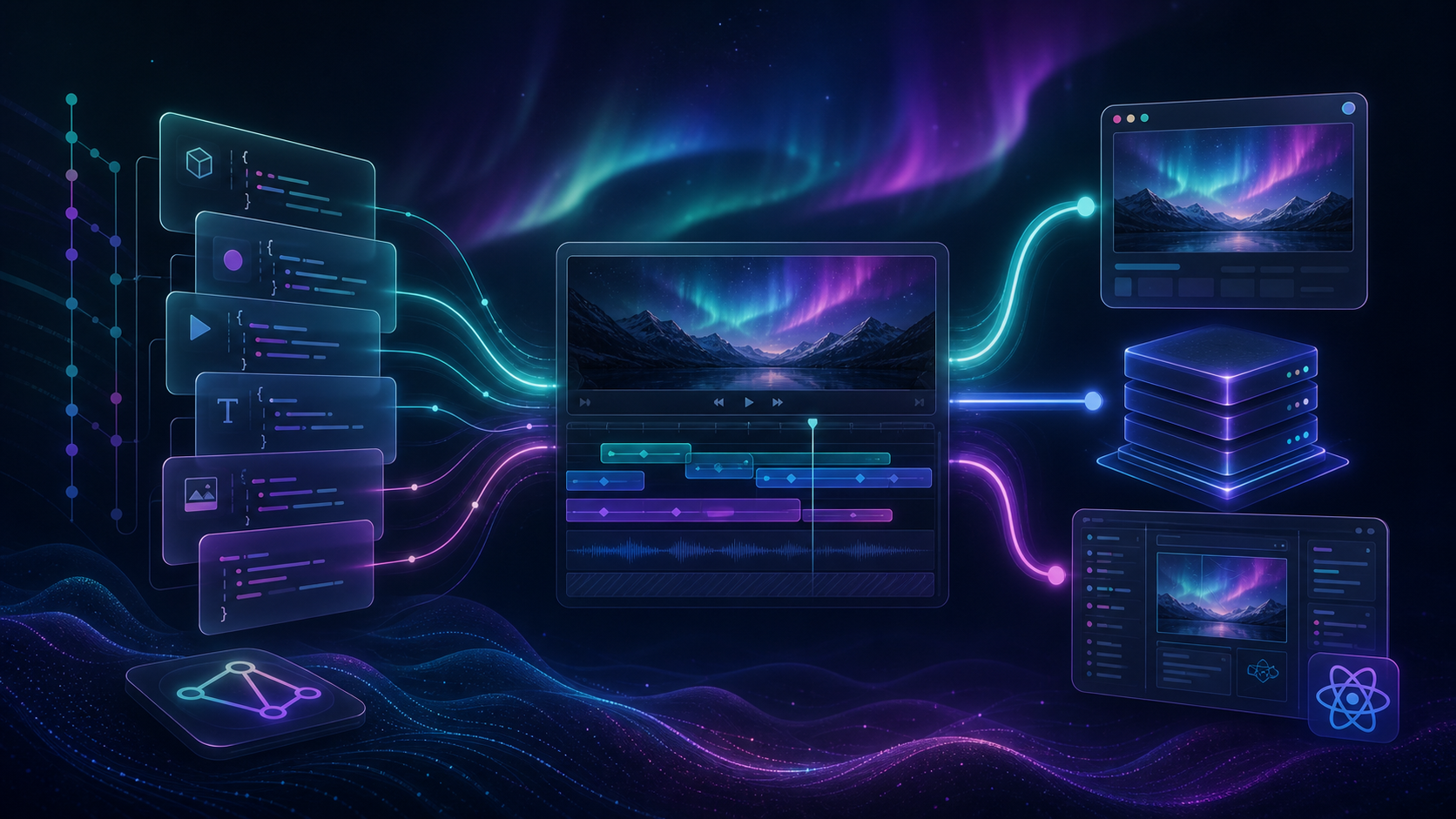
If your video templates only live inside a visual editor, reviews get messy fast. A small change can touch timing, copy, transitions, and layout all at once, which makes it hard to tell what actually changed.
VideoFlow fixes that by letting you treat a video as portable VideoJSON. You can author it in TypeScript, compile it once, and render the same source in the browser, on a server, or inside a live DOM preview. If you want the product overview first, start at VideoFlow and the core docs.
The goal in this guide is simple: make your templates reviewable like code, not fragile like screenshots.
1. Start With One Portable Template
Begin with one video family and one source of truth. Install the core package and keep the template in your repo instead of hiding it inside a one-off export.
npm install @videoflow/core
Then define a template in TypeScript and compile it to VideoJSON:
import VideoFlow from "@videoflow/core";

const $ = new VideoFlow({
  name: "Launch Template",
  width: 1920,
  height: 1080,
  fps: 30,
});

$.addText(
  { text: "New release", fontSize: 7, fontWeight: 800 },
  { transitionIn: { transition: "overshootPop", duration: "500ms" } }
);

const json = await $.compile();
Expected result: you have a versioned template source that can be committed, reviewed, and reused without reopening a manual timeline file.

2. Organize The Repo Around Reviewable Changes
The easiest way to keep diffs readable is to keep template concerns separate. Put the template, assets, and render entry points in predictable folders so a change in copy does not get mixed with renderer code.
A simple layout like this is enough:
videos/
  launch/
    template.ts
    assets/
    render.browser.ts
    render.server.ts
    preview.tsx
That structure gives you a few practical benefits:
- Copy edits stay separate from scene logic.
- Asset changes stay separate from timing changes.
- Renderer-specific code stays isolated.
- Git history tells you whether the change was visual, textual, or operational.
Expected result: a reviewer can scan the diff and immediately understand whether the change affects the story, the rendering path, or both.
If you want the template-side version of this idea, How to Build an AI Video Workflow From Prompt to JSON to MP4 is the closest companion post.
3. Compile Once, Render Everywhere
This is where VideoFlow becomes useful as infrastructure instead of just a builder API. The same VideoJSON can drive browser export, server rendering, or a live preview surface.
Use the renderer that matches the job:
- Browser rendering when you want low-friction export inside an app.
- Server rendering when you need queues, jobs, or batch output.
- DOM preview when you want a scrubbable live view while editing.
The renderer docs explain the render options, and the pattern is the reason I like this stack for teams: one format, multiple execution environments.

Expected result: you stop duplicating the template just to support different deployment targets.
If you want the deeper version of this workflow, How to Build a Three-Renderer Video Workflow With VideoFlow covers the same idea from the platform side.
4. Add React For Last-Mile Editing
When humans need to make final adjustments, put the editor on top of the same template rather than forking a separate version.
The optional React video editor is built for that job. It gives you a drop-in editor with a multi-track timeline, drag, trim, snap, reorder, an inspector with type-aware controls, keyframes, live WYSIWYG preview, undo/redo, uploads through callbacks, MP4 export, and themes you can style to match your app.
That means product managers, marketers, or operators can tweak a template without breaking the JSON source you already review in Git.
Expected result: the editor becomes a front end for the same template, not a second source of truth.
If you want a more implementation-focused walkthrough, How to Add a Multi-Track React Video Editor to Your SaaS App is the natural next read.
5. Let AI Work On The Blueprint, Not The Render
AI is most useful when it generates structured template data instead of trying to edit a finished export. If an agent can produce VideoJSON or builder code, a human can review the diff before anything renders.
That keeps the workflow predictable:
- AI proposes a scene or variant.
- The repo stores the change as code or JSON.
- Git shows exactly what moved.
- The renderer turns the approved template into video.

This is the same pattern described in How to Let AI Agents Draft VideoJSON for VideoFlow Templates and How to Build a VideoJSON Pipeline for Browser, Server, and React. The practical benefit is not just speed. It is that the review step stays code-native.
Expected result: AI helps generate options, but the repo still holds the source of truth.
6. Review Diffs Like Code
Once the template is in Git, review it the same way you would review app code. Focus on the parts that affect meaning, not just the parts that affect motion.
I would check these items first:
- Did the copy change, and is it still aligned with the intended message?
- Did any scene or layer get reordered in a way that changes the story?
- Did a transition or effect get added for a reason, or just because it was available?
- Did the preview still match the browser and server renderers?
- Did the change stay small enough that a teammate can reason about it in one pass?
That review style is also why I like keeping one source of truth for preview, edit, and export. If you want that angle in more detail, How to Keep One Video JSON Source of Truth for Preview, Edit, and Export is the right companion article.
Expected result: video changes become understandable in code review instead of requiring a manual frame-by-frame audit.
7. Use The Right Path For The Job
VideoFlow is not only for one rendering style. The same JSON can support browser export, server-side jobs, and live DOM preview, which is what makes it useful for developer tools and SaaS products.
If you are building a productized workflow, use the browser renderer for interactive export, the server renderer for scheduled or queued output, and the DOM renderer for live preview while editing.
That is the core payoff of this stack: one template, one review process, one portable representation.
Expected result: you can ship a video workflow that scales from a single template to a larger product without rewriting the underlying format.
The Short Version
If your video templates are hard to review, move the source into Git, keep it portable, and render the same VideoJSON wherever you need it. VideoFlow gives you the builder, the renderers, and the editor path to do that without splitting the workflow into separate systems.
Start with one template, one scene, and one renderer. Once that diff is clean, expand to the browser renderer, the server renderer, and the React editor in that order.
For the product details, check the examples and docs, then use the VideoFlow landing page as the entry point for the stack.