
July 16, 2026
How to Automate a Shopify Blog With Product Review and SEO Checks
Build a Shopify blog workflow that generates product-aware drafts, adds visuals, and still leaves room for review before publishing.
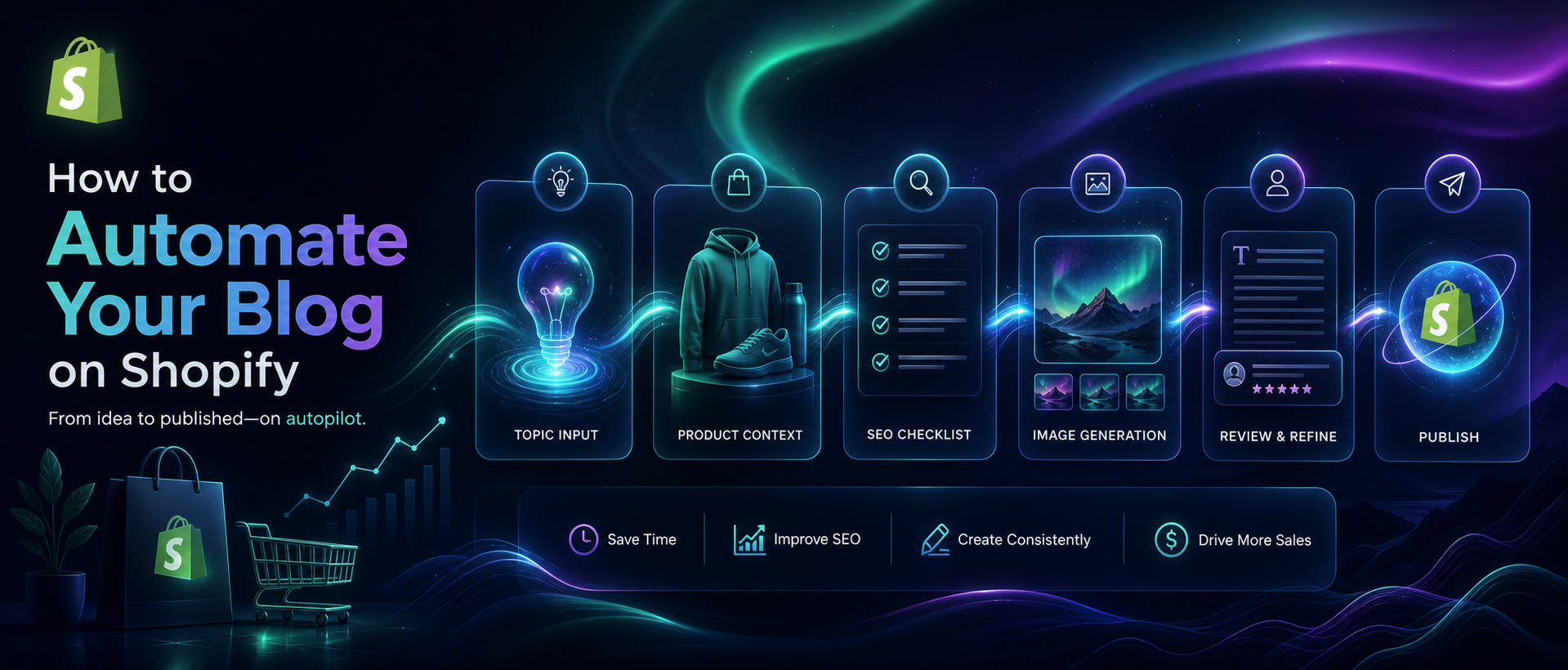
If you know blog content helps SEO but you do not have time to write, illustrate, and schedule every post manually, Supra Blog Automation gives you a controlled way to keep publishing. It can generate a full post from a topic, tone, and product context, add SEO structure and visuals, and then either publish immediately or leave the post as a draft for review. The goal is not to remove judgment. It is to make the repetitive parts predictable enough that the blog keeps moving. If you want to compare the product listing first, the Shopify App Store page shows the core positioning and plan details.
1. Define one job for the post before you generate it
Start with the outcome, not the prompt. A good automation run should answer one specific question: is this post meant to rank for a keyword, support a collection, explain a product feature, answer a support question, or give shoppers a seasonal buying guide?
That choice matters because the generator can then shape the structure around a clear goal. In Supra Blog Automation, you can create a single post on demand or set up recurring automations. Either way, the article is stronger when you decide up front whether it should be informational, softly promotional, product-first, or designed to drive readers toward a collection.
If you are still deciding how much of the workflow should be automated, it helps to read related examples like How to Keep Shopify Blog Active Without Generic AI Posts and How I Keep Shopify Blog Automation Useful Without Publishing Blind. They show the same basic rule: automation works best when the target is narrow.
2. Feed the generator real product context
Generic AI blog posts fail because they have no anchor. Product-aware content does better because it can reference the thing the store actually sells, the collection it belongs to, the customer problem it solves, and the supporting products that make sense to mention together.
When you set up a post in this app, give it the product name, the angle, the audience, and the specific outcome you want the reader to reach. If the post is meant to support search, include the keyword theme and the internal links you want surfaced. If the post is meant to support a launch, tell it which product or collection should appear naturally in the body rather than as a hard sell.
That is the difference between a flat AI draft and a post that feels connected to the store. It is also where visual choices matter. The article can use product images, AI-generated visuals, or stock images, but the image has to reinforce the section it sits beside. For a workflow like this, I prefer showing the structure of the content system itself rather than pretending the blog is a generic magazine.

3. Pick the publishing mode before you generate the first draft
Supra Blog Automation supports two useful modes: publish right away or save as a draft. Do not decide that after the fact. Choose it before generation so the rest of the setup follows the same control level.
If you are testing a new topic, start with a draft. If you already trust the inputs and the process, publish immediately and use the schedule to keep the cadence steady. For recurring automations, daily, weekly, or monthly publishing can keep the blog alive without making the team remember every deadline.
The recurring view is especially useful for seasonal content. A store can queue buying guides, launch explainers, and collection updates ahead of time, then let the automation fill the gaps when the team is busy with operations or fulfillment.

4. Review the parts the model cannot verify for you
The strongest setup is still a reviewable setup. The app can draft the article, organize the SEO structure, and suggest visuals, but a human should still check claims that depend on policy, pricing, inventory, compliance, or brand nuance.
Use the review pass to verify five things:
- The post answers the original goal.
- The product references are accurate and natural.
- The links point to the right product or collection pages.
- The tone matches the store and the blog audience.
- The call to action is useful instead of pushy.
That review step is why posts in this system are more durable than fully blind automation. If you want a deeper look at that balance, compare it with How to Turn Shopify Support Questions Into a Blog Queue That Keeps Publishing and How I Turn Product Updates Into Reviewable Shopify Blog Drafts.

5. Add links and visuals where the reader is already making a decision
Internal links work best when they appear in context. If a post explains a product category, link to the category. If it compares options, link to the relevant products. If it teaches a process, link to the next step the reader would naturally take.
Supra Blog Automation supports built-in SEO structure, internal links, product promotion, and image generation, so you can keep those choices inside one workflow instead of scattering them across separate tools. That makes the post easier to review because the draft already includes the ingredients the store cares about.
If you want more structure around the queue itself, How to Build a Shopify Blog Draft Queue From Product Updates is the right companion article. It shows how product changes can become a predictable pipeline instead of a one-off writing task.
6. Turn the first working post into a recurring calendar
Once the first post works, use that pattern to build a calendar. A good recurring setup usually starts with three buckets: evergreen education, product-support content, and seasonal or launch-driven posts. That mix keeps the blog relevant without forcing every article to do the same job.
This is where the pricing tiers matter. The free plan includes 3 AI blog posts per month, which is enough to validate the workflow. Standard and Pro increase volume if you need a larger queue for multiple collections, seasonal campaigns, or agency-managed stores.
The practical test is simple: if the post can be generated from the same inputs every time, the automation is probably good enough to repeat. If it depends on unstable details or vague prompts, keep it in draft mode until the inputs are cleaner.
Build the workflow once, then reuse it
The right Shopify blog automation setup does not remove editorial judgment. It gives you a repeatable way to turn product context into SEO-ready drafts, attach the right visuals, and keep a review step where accuracy matters.
If you want to try it, start with Supra Blog Automation, connect one product or collection, and generate a single reviewable post before you schedule the next one. If you want the app-store details first, check the Shopify App Store listing and then decide whether the free plan is enough to prove the workflow.