
November 17, 2026
How to Keep a Browser RAW Preview Responsive With a Web Worker
Build a local browser RAW preview that stays responsive by validating files, moving decode work to a Web Worker, and testing the exact camera modes you support.

How to Keep a Browser RAW Preview Responsive With a Web Worker
A browser RAW preview can stay responsive if the page validates the file first, sends the decode work to a Web Worker, and treats the result as a preview rather than a final colour decision. You need a current browser build, a representative set of camera files, and a decoder that supports the exact formats and modes you accept. FlashRaw is one option: its npm package is designed for browsers and workers, while its format matrix records support by format and mode.
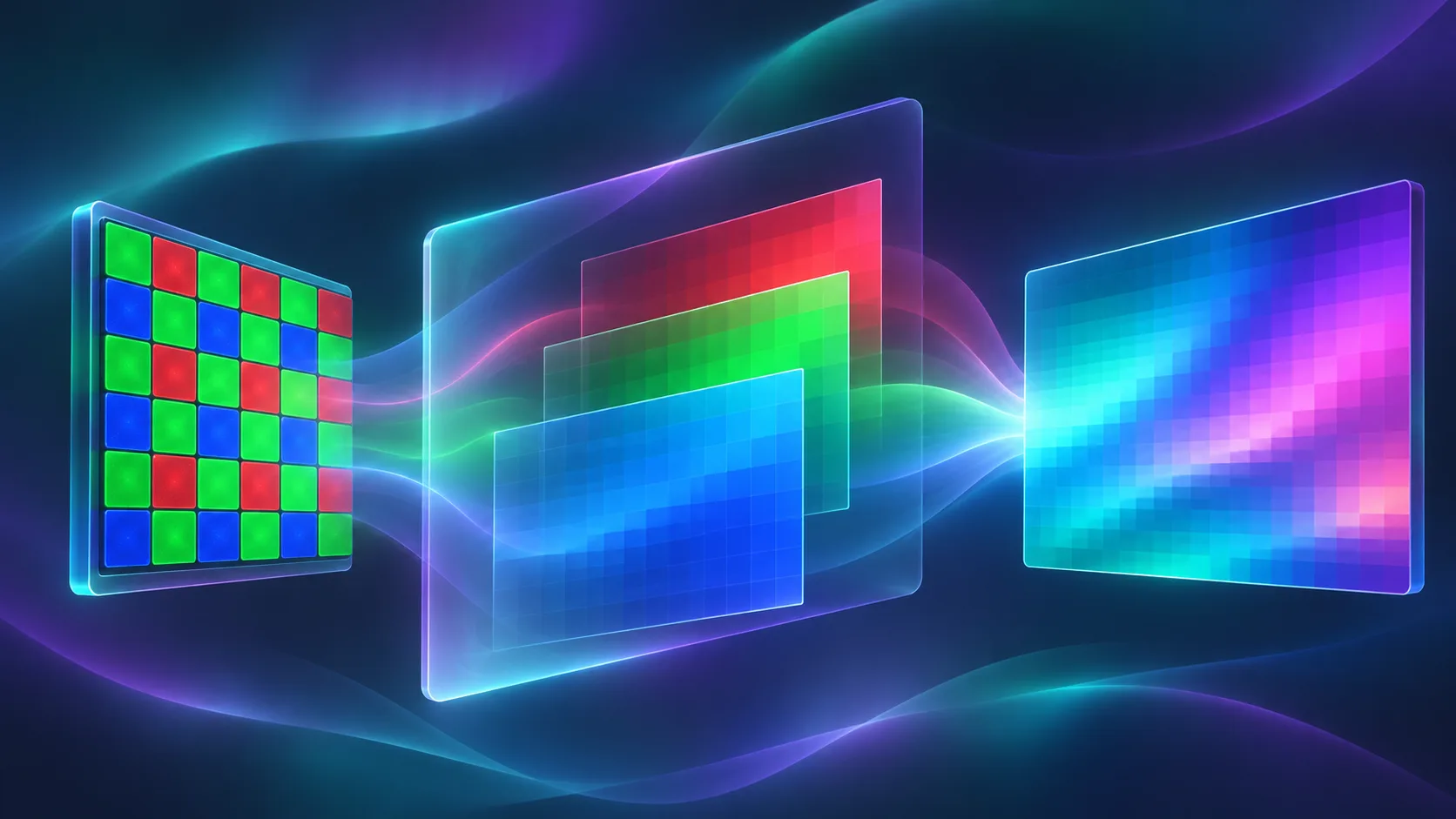
The boundary matters. A RAW file holds sensor samples, not a finished screen image. A display preview also needs steps such as demosaicing, white balance, colour conversion, and orientation. That is why a fast embedded preview is useful for immediate feedback, while a full RGB decode should happen away from the interface thread.
1. Define the preview promise before you write the decoder
Start by writing down what the preview does—and does not—guarantee. For example: “We show an embedded preview immediately when one exists; otherwise we make a display-ready preview locally; export and final retouching remain separate.” This prevents a thumbnail from being presented as proof of final colour or crop.
Build a small fixture set with the cameras, compression modes, and file sizes your customers actually upload. Extensions alone are not a compatibility test: FlashRaw’s format documentation tracks status per format and mode, including verified, partial, experimental, and unsupported. Check the exact camera/mode before advertising support.
A useful acceptance table is short:
| Fixture | Expected result | User-facing fallback |
|---|---|---|
| Known supported RAW | Preview renders locally | Show camera and dimensions |
| Valid but unsupported mode | Clear decoder error | Ask for JPEG/TIFF or server workflow |
| Oversized file | App remains interactive | Offer a smaller source or defer processing |
| Corrupt file | No partial-looking image | Explain that the file could not be read |
This extends the validation approach in How to Validate Browser Camera RAW Uploads Before Building a Previewer: define the support contract before styling the upload screen.
2. Start with a minimal local decode
Install the package in your browser project:
npm install flashraw
The package’s documented browser API accepts an ArrayBuffer, exposes metadata and embedded previews, and can produce display-ready RGBA bytes. Keep the first implementation intentionally small:
import { FlashRaw } from "flashraw";

const buffer = await file.arrayBuffer();
const raw = await FlashRaw.open(buffer);

console.log(raw.metadata.camera, raw.metadata.width, raw.metadata.height);
const preview = await raw.preview(); // embedded preview when available
const image = await raw.decode({ output: "rgba8" });

canvas.width = image.width;
canvas.height = image.height;
canvas.getContext("2d").putImageData(
  new ImageData(image.data, image.width, image.height),
  0,
  0
);
raw.close();
The expected result is a local preview you can inspect while developing. Do not use this main-thread version as the production architecture for large files: decoding and copying pixels can make scrolling, cancellation, and progress feedback feel stuck. For a useful adjacent pattern, How to Prepare Shopify Product Images for Faster Loading Without Uploading Them shows why keeping work local does not remove the need for an explicit performance budget.
3. Move file ownership and decoding into a worker
Create raw-worker.js and transfer the file buffer instead of cloning it. The worker opens the RAW file, decodes RGBA output, and transfers the output buffer back. A transferred buffer is no longer owned by the sender, which is exactly what you want for a large temporary payload.
// raw-worker.js
import { FlashRaw } from "flashraw";

self.onmessage = async ({ data: { buffer } }) => {
  try {
    const raw = await FlashRaw.open(buffer);
    const image = await raw.decode({ output: "rgba8" });
    raw.close();

    self.postMessage(
      { ok: true, width: image.width, height: image.height, pixels: image.data.buffer },
      [image.data.buffer]
    );
  } catch (error) {
    self.postMessage({ ok: false, message: String(error.message || error) });
  }
};
Your page can create the worker once and send a selected file’s bytes:
const worker = new Worker(new URL("./raw-worker.js", import.meta.url), { type: "module" });

const buffer = await file.arrayBuffer();
worker.postMessage({ buffer }, [buffer]);
worker.onmessage = ({ data }) => {
  if (!data.ok) return showFallback(data.message);
  const pixels = new Uint8ClampedArray(data.pixels);
  ctx.putImageData(new ImageData(pixels, data.width, data.height), 0, 0);
};

Expected result: selecting a large supported file may still take time, but buttons, progress messaging, and cancellation controls can remain usable. FlashRaw documents browser, Web Worker, Node.js, and WebAssembly paths; its browser documentation also distinguishes regular WASM execution from threaded WASM.
4. Add honest fallbacks before optimizing threads or GPU work
Make the worker return one of four states: preview, decoded, unsupported, or failed. The UI should tell the customer what happened without exposing stack traces. That distinction is more valuable than a generic “upload error,” and it aligns with the fallback plan in Browser RAW Upload Fallbacks: A Four-State Support Plan.
Use an embedded preview when the workflow only needs a quick visual confirmation. Request an RGBA decode when the browser needs pixels for a canvas. Consider threaded WASM only after the normal worker flow is correct: it requires a cross-origin-isolated deployment, so verify the required response headers in your real CDN and staging environment. Likewise, FlashRaw has optional GPU capabilities, but that is not a reason to promise GPU acceleration for every format or every stage.

5. Test the responsive path, not just the happy-path picture
Run each fixture through the exact deployed site on a modest laptop and a phone-class browser. Record: time until the UI responds after selection, whether cancellation works, peak memory symptoms, final image dimensions, and the fallback message. Re-run the set after decoder upgrades.
Check the browser’s network panel as well: a private local preview should not silently upload the RAW file. The FlashRaw demo describes local WebAssembly decoding, but your own application’s analytics, error logging, and upload code still need an independent audit. If you need a sharper policy boundary, A Browser RAW Preview Promise Matrix for Shopify Photo Uploads is a useful companion checklist.
Keep the first release narrow
A responsive browser RAW preview is a small system, not a single decode() call: supported fixtures, a worker boundary, explicit fallbacks, and an honest preview promise all matter. Start with one camera family you can test, use FlashRaw’s official documentation to verify the mode you support, and ship the worker path before adding threads or GPU tuning. Your next action is simple: select three real customer-like RAW fixtures and write the expected preview or fallback result for each.